
How it works
A full Exchange Cart count, start to finish. Real screens, demo data.
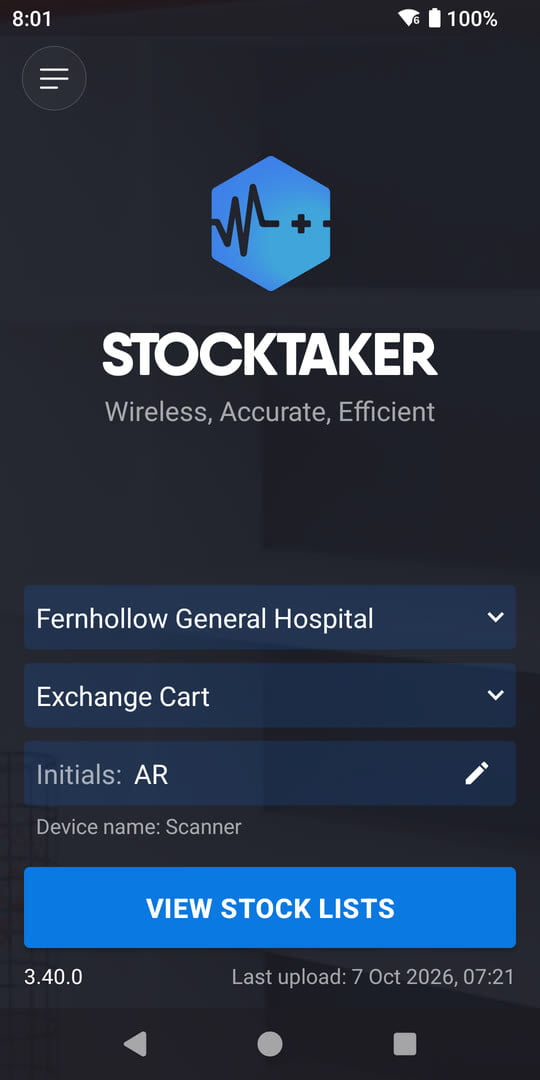
1Pick the routine
Choose the facility and routine, add your initials, and open your stock lists.
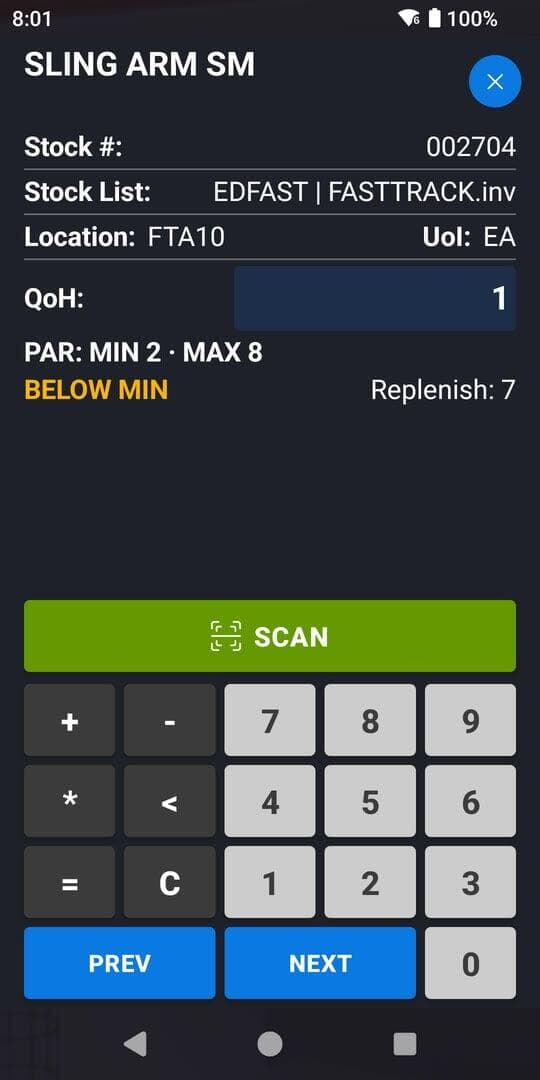
2Scan and count
Scan a barcode and key in the count. PAR levels and a BELOW MIN alert show as you go.
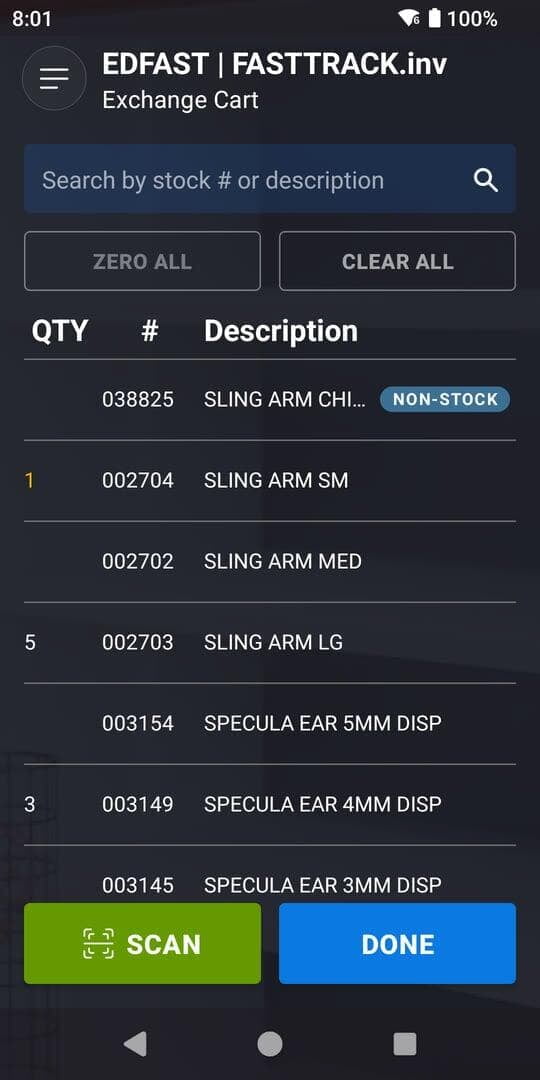
3Review the list
Every count at a glance. Below-min items show in amber; non-stock items are flagged.
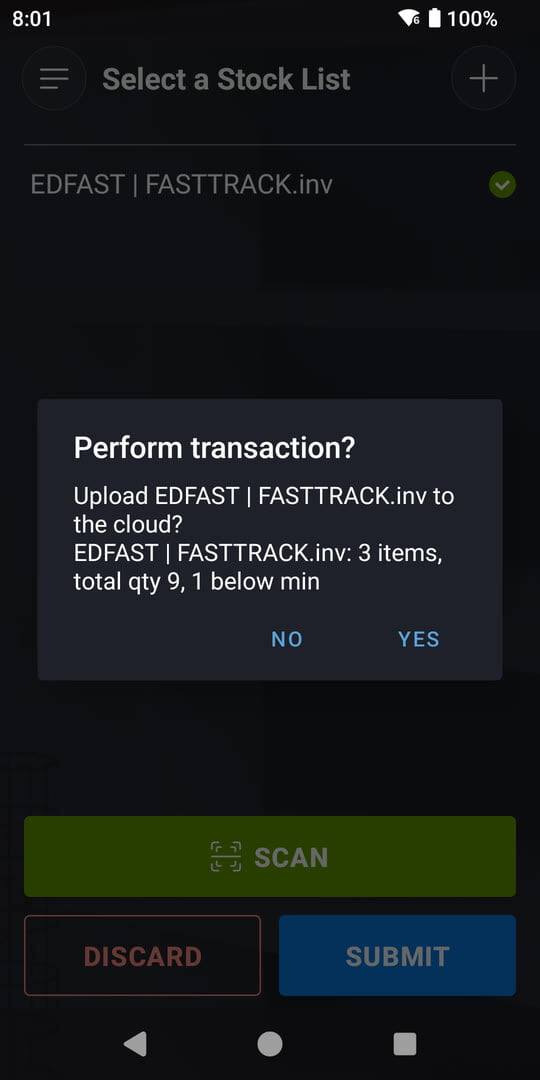
4Submit
A final check shows what you’re sending. One tap sends it.
Built for hospital stockrooms
StockTaker is the handheld scanning app for MEDITECH Materials Management. Scan each item, key the count, and submit from the scanner; an item with no barcode is typed in on the touchscreen or keyboard instead.
- PAR levels on every item, with BELOW MIN alerts while you count Exchange Cart and Physical Inventory
- Non-stock items clearly flagged on the handheld
- Operator initials on every upload, so shared scanners stay accountable
- Optional automatic transfer into MEDITECH MM through iatriScript from iatricSystems
- Runs on Datalogic, Zebra and Spectralink healthcare handhelds
Count faster, key less
Scan the shelf label, type the quantity, move on. Below-min items are flagged while you count, not after the upload. See it for yourself in a live demo.
Most stockrooms run the Exchange Cart round every day, so that is the count shown step by step above. The other routines follow the same pick, scan, review and submit flow. Walk through an Exchange Cart count.
MEDITECH MM routines
StockTaker works with MEDITECH Materials Management on Expanse and MAGIC, and runs these routines from the handheld:
- Counts: Exchange Cart, Physical Inventory
- Issues and returns: Department Issue, Department Return, Patient Issue
- Requisitions and setup: Restock Requisition, Initialize
Easy installation
Our team walks you through the install, with step-by-step instructions for loading the app on your scanners and help whenever you want it. StockTaker installs from Google Play or as a sideloaded APK, whichever your IT policy prefers.
Rolling it out to a fleet of scanners? It supports zero-touch setup through your MDM, such as Workspace ONE or SureMDM: the license key and device name are pushed to every handheld, so nobody has to type them in. A kiosk mode keeps each handheld dedicated to StockTaker.
Nothing new to learn on the floor
Pick the routine, scan and count, review, submit. That is the whole job on the handheld, and if your team can use a phone, they can use StockTaker. Talk to us about getting set up.